
27 AI video templates · with audio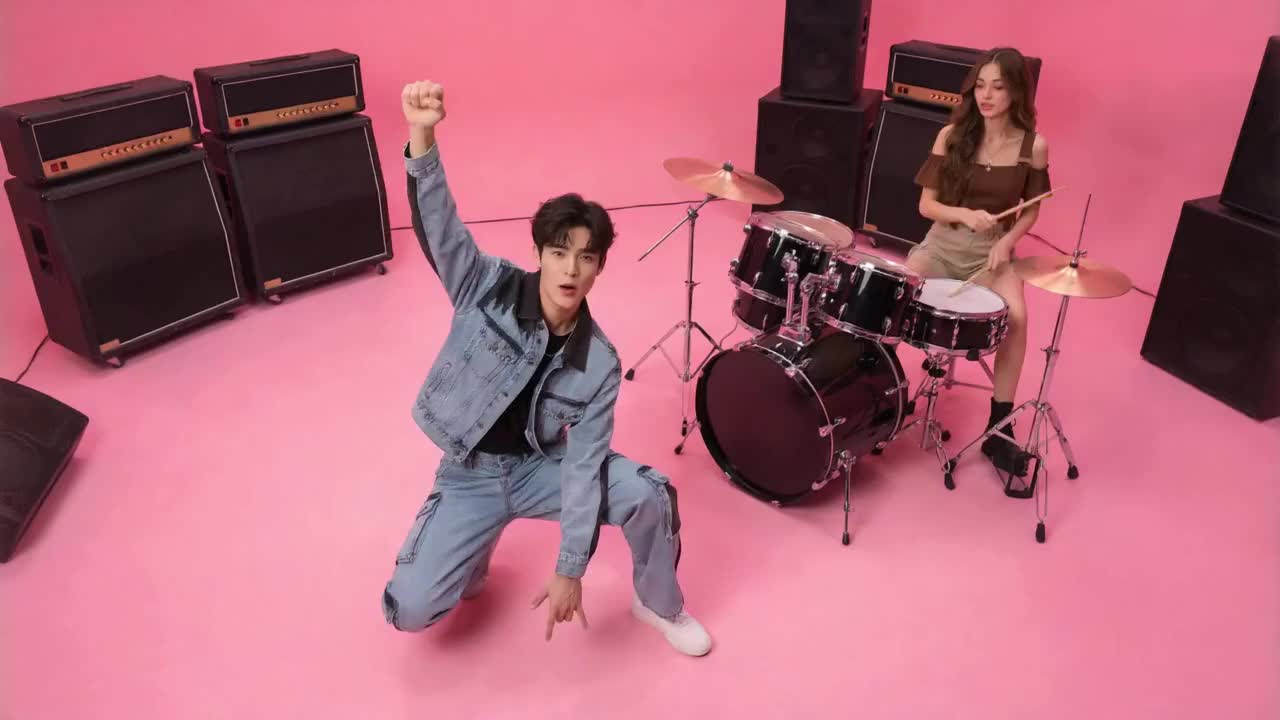
Your photos. The next viral AI video.
Pick a trend, add your photos and step into the scene. Create a short video with generated audio, ready to download and share. No prompt to write.
Make a trend videoHere for the APT video?
Two photos. Two independent performances in the pink studio. Make your own APT video.
- Failed generations return your credits
- One-time credit packs. No subscription.
- Reference-guided generated audio
All 27 trending templates
Find your next scene. Preview a template, see the photos it needs and make it your own.
27 templates shown
A preview of your next scene
These are template reference previews, not videos generated by our users. Your result will depend on your photos and the selected template.
From photos to a video in three steps
Choose the scene. Bring the cast. Let the template do the rest.
- 01
Pick your template
Watch the preview and check the roles, length and output formats.
- 02
Add your photos
Add one clear photo for each required role, then choose your frame.
- 03
Generate and download
Sign in, generate with credits and download the finished video with audio.
Know what you’re making
The selected template shows its exact requirements before you generate.
768p video
Choose a supported 16:9 or 9:16 output. Available formats are shown on each template.
Audio comes with the scene
Native audio is generated from the reference. It is not an identical copy of the original soundtrack.
Your photos play the roles
Photo requirements follow the selected template. Only use photos you are allowed to use.
The actual template length
Duration varies by template and output format. Check the displayed specs before generating.
26 credits per video
Use the same credit balance across templates, with one-time credit packs.
Credits returned on failure
If a generation fails, its credits return to your balance.
One-time packs
Simple credit packs
Watching the preview is free. There is no unlimited free plan. Each finished video uses 26 credits and includes audio. Packs are one-time: pay once, keep the credits, spend them when you want a video.
Starter
$0.17 per credit
$8.90USD
- 2 videos
- 52 credits
- Audio included
- Landscape 16:9 · Portrait 9:16
- Works with every template
- Credits never expire
Plus
Best balance$0.15 per credit
$19.90USD
- 5 videos
- 130 credits
- Audio included
- Landscape 16:9 · Portrait 9:16
- Works with every template
- Credits never expire
Studio
$0.14 per credit
$39.90USD
- 11 videos
- 286 credits
- Audio included
- Landscape 16:9 · Portrait 9:16
- Works with every template
- Credits never expire
Unused pack within 7 days: full refund. Credits already spent on a generation are not refunded, and a failed generation returns its 26 credits as credits, not cash. Email support@aptvideo.app with your account email and transaction ID, and we confirm within 2 business days.
Card payments are processed by Waffo Pancake on behalf of apt duo ai, and that is the name you will see on your statement.
By paying you confirm that you are 18 or older and accept the Terms of Service, Privacy Policy, Refund Policy and Acceptable Use Policy. Card payments are processed by Waffo Pancake, and we never store full card numbers.
Questions before your first take?
How templates, photos and credits work.
How do I make an AI video from my photos?
Choose a template, add the required role photos and select an available frame. Sign in and use credits to generate, then download your video when it is ready.
Which AI model generates my video?
New videos use MiniMax H3 through KIE.ai, with 768p output and reference-guided generated native audio. Each template defines its roles, movement, duration and available frames. Historical videos retain the model and output settings used when they were created.
Do I need to write a prompt?
No. Each template already defines the scene, movement and roles. You choose the template and add your photos.
How many photos do I need?
It depends on the template. The card shows the required photo count, and Studio labels each role.
What quality, length and formats are available?
New videos use 768p, with reference-guided generated native audio. The original soundtrack is not copied exactly. Outputs are 16:9 or 9:16, with an exact template duration of 4–15 seconds shown before generation. Existing videos keep their original output specs.
How much does a video cost?
Each video uses 26 credits. Buy a one-time credit pack on the pricing page. There is no subscription.
What happens if a generation fails?
The credits for a failed generation return to your balance. This is a credit return, not a cash refund.
Are the previews customer results?
No. They are template reference previews. They show the source scene, and do not promise an identical generated result.